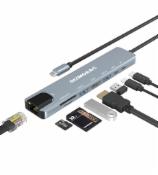
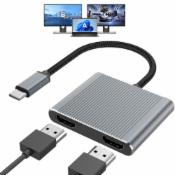
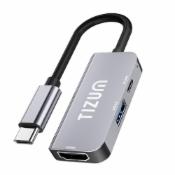
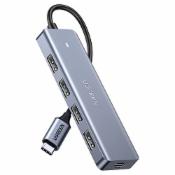
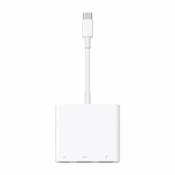
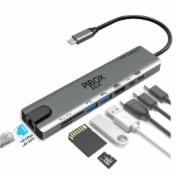
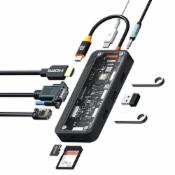
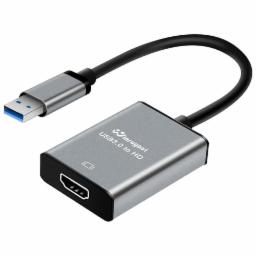
USB to HDMI Adapter for Monitor 1080P@60Hz Display with 5Gbps High Speed Transmission, Support Extend & Mirror Mode, Compatible with Window 7/10/11, Mac OS 10.15+, Laptop, Desktop, TV, Monitor, Silver

- Disclaimer
  • Amazon and the Amazon logo are trademarks of Amazon.com, Inc. or its affiliates.
  • Sometimes you may see variation in product price due to “different seller” or “offer ended”.
  • Product prices and availability are accurate as of the date/time indicated above and are subject to change. Any price and availability information displayed on the Merchant’s Site at the time of purchase will apply to the purchase of this product..
Get USB to HDMI Adapter for Monitor 1080P@60Hz Display with 5Gbps High Speed Transmission, Support Extend & Mirror Mode, Compatible with Window 7/10/11, Mac OS 10.15+, Laptop, Desktop, TV, Monitor, Silver worth Rs.1349 @ Rs.549 only.
About this Product

Product Features:
  • Easily Expand Dispaly with a USB to HDMI adapter:This USB 3.0 HDMI adapter facilitates connections between a laotop/computer with a USB interface and an HDMI-equipped HDTV, monitor, or projector. The hdmi to usb adapter for monitor features upgraded chips, aluminum exterior, enhancing compatibility and durability.
  • 1080@60Hz High-Definition Quality :USB 3.0 to HDMI adapter offer a high-definition graphic images to your HDTV or monitors at resolution up to 1080p at 60Hz, this adapter ensures your videos and graphics are displayed in crystal-clear detail with seamless performance.Recomend for USB A 3.0 port ,if you have to connect the USB 2.0 signal port in, recommend to use a resolution of 720P. Screen shake or latency can be avoided as much as possible.
  • Wide Compatibility::The USB HDMI adapter support Both Mac and Windows systems,both support Mirror and Extend mode,In windows: compatible with Windows7,10,11 or higher,In MacOS: compatible with Mac OS 10.15 or higher.Att: ChromeOS, Android, Linux are not supported.
  • Plug-and-Play after Simple First Setup:The USB to HDMI adapter comes with its own driver,only need to connect it to the computer, generate a drive letter in "My Computer", find the driver required by the device in the drive letter, click to install, and then restart the computer to use it. If the installation process is blocked by anti-virus software, you need to set it to allow the installation program

  • 💓𝗧𝗶𝗽𝘀 1:The display works supported by the program, if it does not display after work for a period of time, the main reason is loss of the files (deleted by mistake or antivirus software deletion), you just need to uninstall the previous program in your application and reinstall it, the complete process is: uninstall - restart your computer - reinstall the program - restart your computer, and then The product will work again.
  • 💓𝗧𝗶𝗽𝘀 2,1:The product need to install driver for first use(product built-in program) ,and it will be plug and play after you complete the first installation. Simple to following in listing details and user guide
Read More
   

How To Get This Deal

  • Click on Get Deal button
  • Go to Amazon deal page
  • Add Deal to your cart
  • Enter Your Billing / Shipping Address
  • Make the payment

Related Deals

Mobile Phones Top Deals

Headphone Top Deals

Home & Kitchen Top Deals

Fashion Top Deals

Smart Watches Top Deals

Laptops Top Deals

Bags, Wallets and Luggage Top Deals

Health & Personal Care Top Deals & Offers

Trending Deals

Latest Deals